The reply is written before your team starts typing.
SupportBuddy drafts each reply from your own knowledge base and puts it in the composer for your agent to accept, edit or ignore. It is built into UniversalInbox, and it runs inside Intercom as a Chrome extension for teams who work there.
Not a separate product. A capability, in two places.
Inside UniversalInbox
SupportBuddy is part of the inbox. Turn it on for a flow and every conversation from that flow opens with a draft already waiting, alongside the thread and the customer's history. Nothing to install.
Inside Intercom
If your team works in the Intercom inbox instead, the same drafts arrive there through a Chrome extension. Agents install it once and connect with a code, and nothing about your Intercom setup moves.
How it works.
It sits quietly behind the composer and starts working the moment a customer message arrives, wherever your agents are reading it.
The message arrives
A customer writes in, in UniversalInbox or in Intercom, and SupportBuddy picks it up along with the conversation so far.
It reads your knowledge
It searches the knowledge collections you pointed it at and pulls out what is relevant to this particular question.
The draft appears
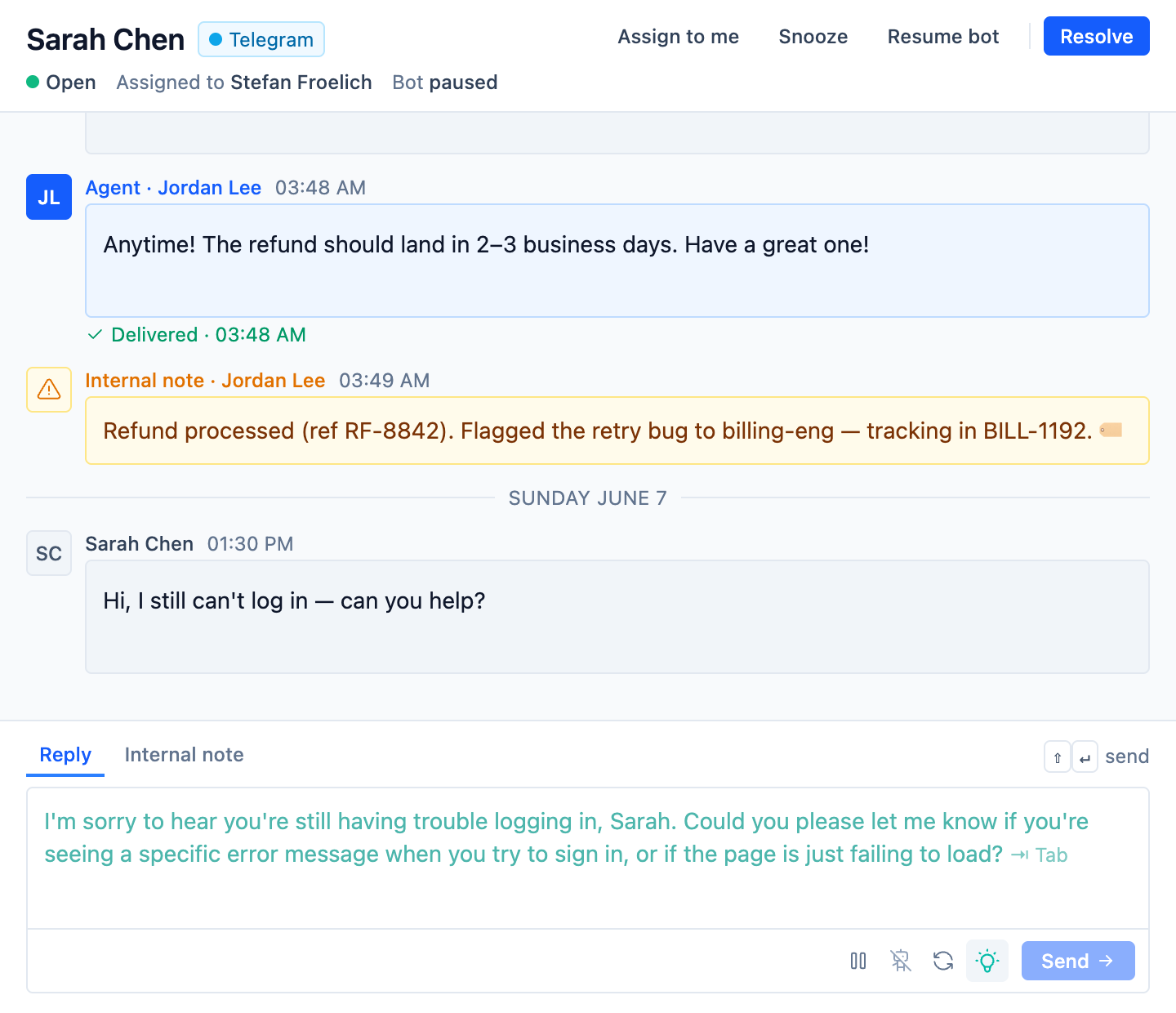
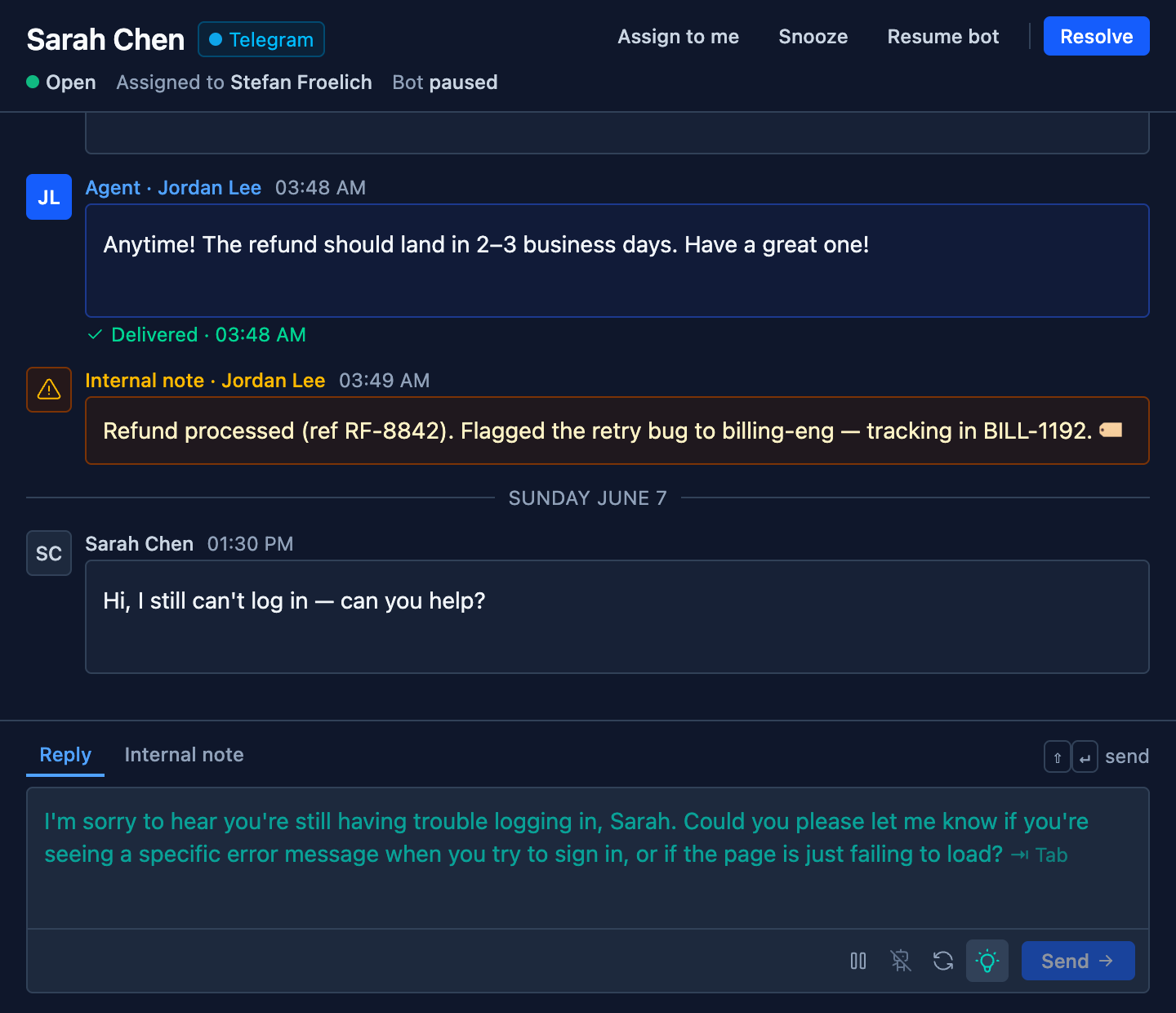
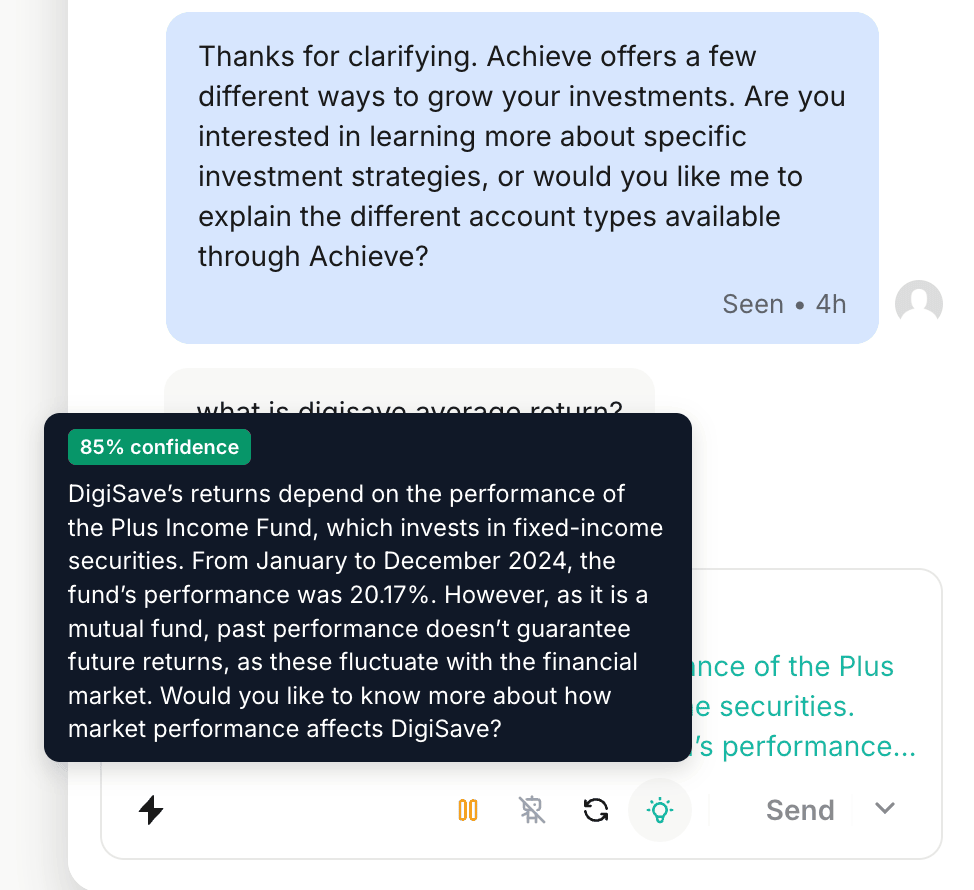
A suggested reply shows up as ghost text in the composer, in your configured tone, with how confident it is attached.
Your agent decides
Accept it, edit it, or start typing and it gets out of the way. A person still sends the message.
If your team already lives in Intercom.
You do not have to move. The Chrome extension puts the same drafts in the Intercom composer, reading from the same knowledge collections.
Installed by each agent
Agents add the extension and connect it with a code from your dashboard. Your Intercom workspace, teams and routing stay exactly as they are.
The same knowledge
Drafts come from the collections you already pointed SupportBuddy at, so an answer does not change depending on which inbox an agent happens to be in.
The same controls
Tone, guardrails, confidence and the autonomous threshold are configured once and apply in both places.
Intercom, with the SupportBuddy extension installed
You decide what it is allowed to say.
A draft your agent has to correct is worse than no draft, so the things that shape one are yours to set.
Grounded in your knowledge
Drafts are written from the collections you choose, so they say what your documentation says rather than what a model guessed.
Your tone
Pick a preset like professional, friendly or technical, or write your own instructions to match how your team already writes.
Policy guardrails
Write down what a suggestion must never say, and those rules go into every draft it writes.
Confidence on every draft
Each suggestion carries a confidence score, so an agent can tell at a glance whether to read it closely or send it.
Scoped collections
Point one buddy at one set of documents so it only answers from what applies to that conversation.
Access you can revoke
Agents connect with a secure code. They can turn it off themselves, and you can revoke it whenever you need to.
Hands-free, once you trust it.
Autonomous mode is off until you switch it on. When it is on, SupportBuddy sends replies that clear the confidence threshold you set, and asks for a person on anything below it.
A threshold you set
You choose how confident a draft has to be before it can send itself. Move it as you learn how the drafts read.
Agents keep the switch
You decide whether autonomous mode is available at all. Once it is, an agent can turn it on or off for themselves at any time.
It asks when it isn't sure
Below the threshold, the draft waits as ghost text and a notification sound brings the agent to it.
Only on new messages
It reacts to a customer writing in, not to your own team's replies, so it never talks over an agent mid-conversation.
Better with a flow behind it.
Connect a buddy to a flow and each draft is written with that conversation in view, from the documents that conversation should draw on.
Conversation context
It reads the conversation so far, not just the latest message.
Knowledge collections
Choose which collections a buddy searches, so a billing conversation and an onboarding conversation don't draw on the same documents.
One buddy per flow
Each flow gets at most one buddy, so there is one place to change how that conversation's replies are written.