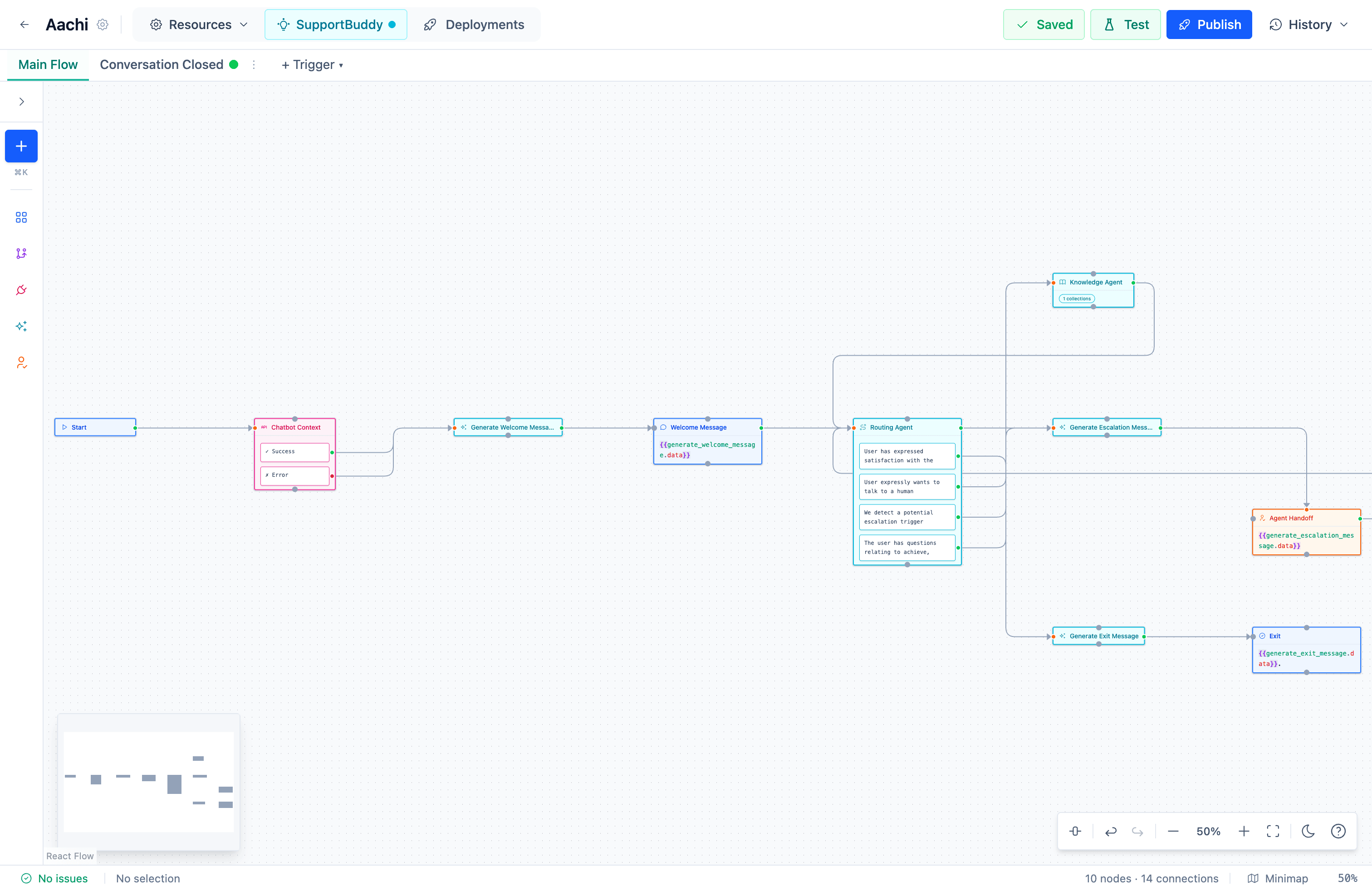
Draw the conversation once: what it asks, what it looks up, which of your systems it calls, and where it hands over. Deploy it to every channel. The inbox your team answers from is included, seats and all.
Most conversations never reach your team. The ones that do arrive ready to answer.
The flow answers, the inbox catches what it hands over, and the drafts help your team finish. One loop, one knowledge base, one price.
UniversalFlow
Design the conversation
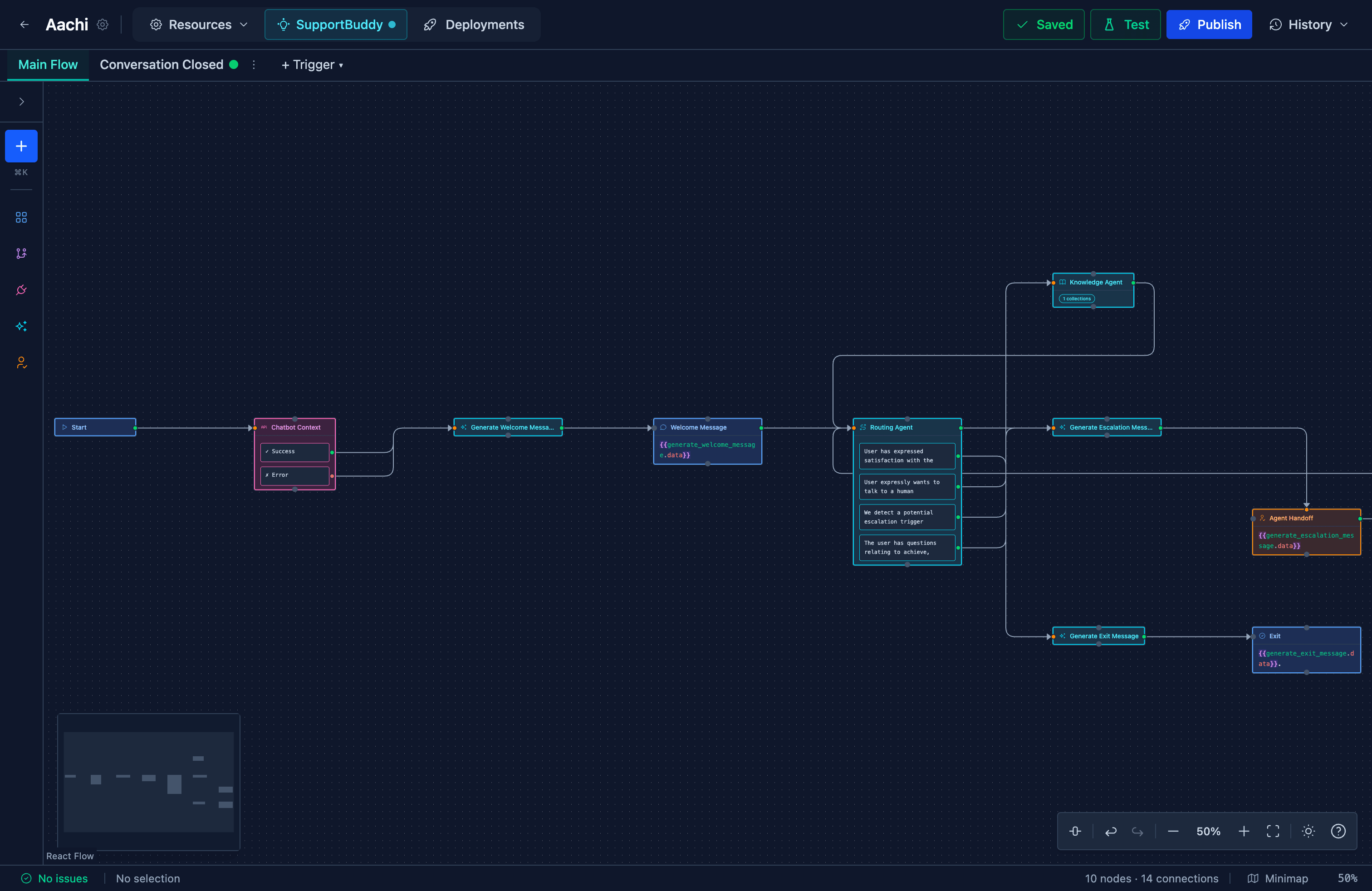
Lay out what it asks, what it answers and where it branches, in a visual editor. Intent steps read what someone meant, API steps call your systems, conditions route on the answer. One flow deploys to every channel at once.
UniversalInbox
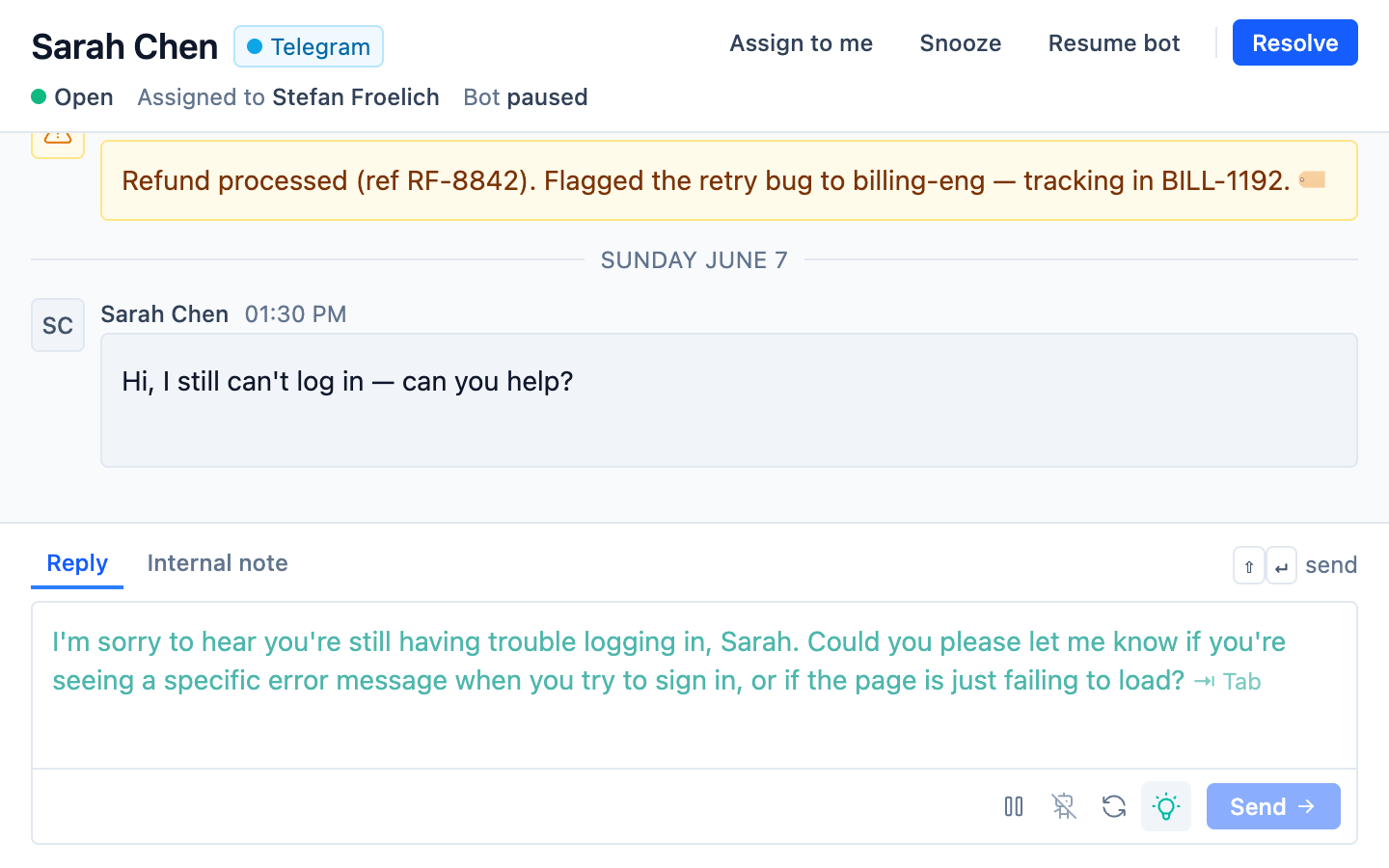
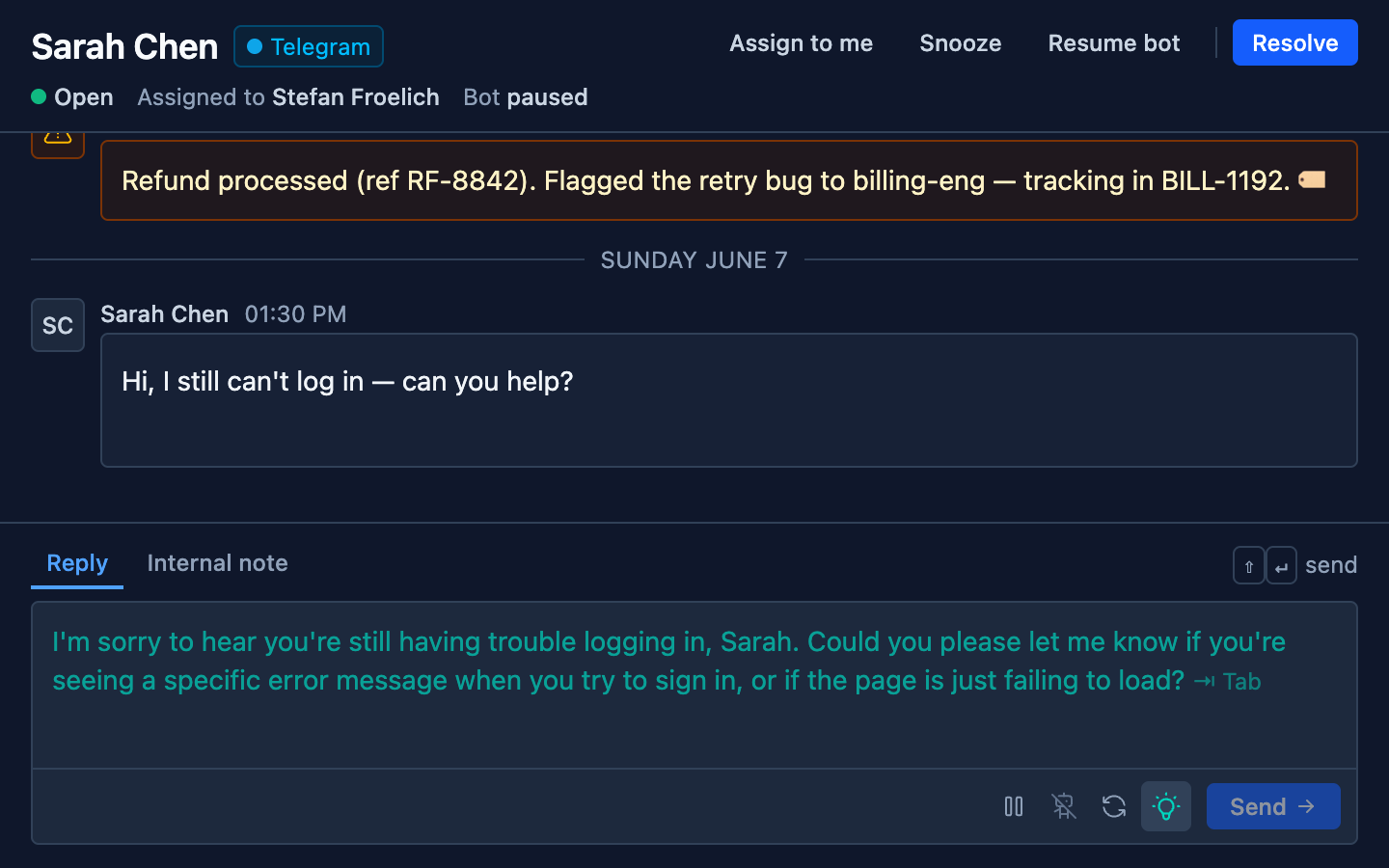
Hand over cleanly
When the flow reaches the end of what it can do, it pauses and passes the thread to a shared queue. One person owns it, everyone can see it.
SupportBuddy
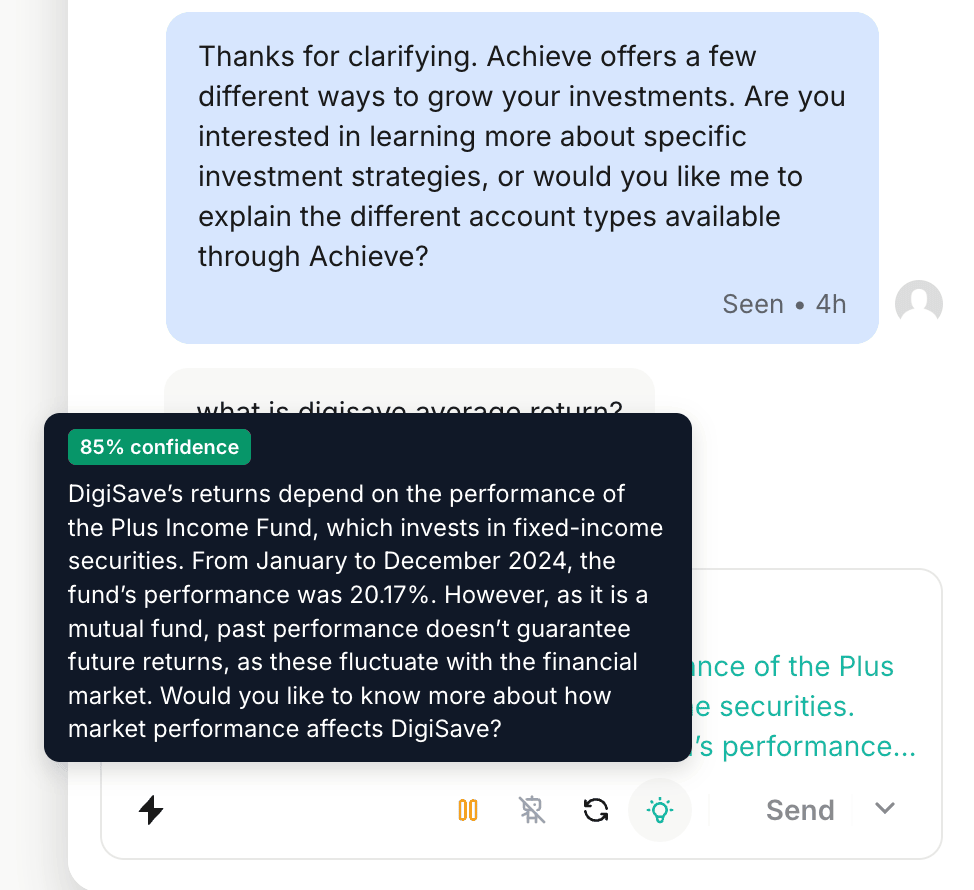
Answer with help
The reply is drafted before your team starts typing, pulled from your knowledge base.
Conversations that earn, not just conversations that cost.
Capture
A visitor asks about pricing at 2am. The flow answers, qualifies budget and timeline, books the call, and keeps the contact in a table of your own or writes it to your CRM. Someone who comes back next week does not start from zero.
Onboard
A new account signs up and gets walked through setup on WhatsApp, one step at a time, with your docs quoted where they get stuck.
Answer
Routine questions are resolved from your own documentation, and from the lists you keep for it to read: today's prices, what is on the menu, when you are open. Anything unusual goes to a person with the thread attached.
Self-service
A customer wants a balance, an order status, or to change a detail. The flow checks who they are, calls your system, and finishes it in the conversation.
Built for how your customers actually ask.
The same platform, pointed at the questions your industry gets. Draw the flow once, and it answers them on every channel.
Where is my order, and can I return it?
Order status, returns and stock, answered in the chat from your store and your systems. The refund that needs a judgement call goes to a person with the order already attached.
Order and delivery status on demand
Returns and exchanges started in the conversation
Stock and product questions from your catalogue
How do I set this up, and what does my plan include?
Onboarding walkthroughs and how-tos answered from your docs, on whichever channel the customer is already on. Anything account-specific reaches your team with the whole thread.
Guided setup, one step at a time
Plan and billing questions from your docs
Escalations that keep the context
What is my balance, and am I eligible?
Balances, statements and eligibility behind an identity check, in the language your compliance team signed off. Nothing improvises its way into a promise.
Identity checked before anything sensitive
Answers grounded in approved wording
Every path is one you drew and can audit
Are you open, and can I book?
Bookings, opening hours, today's prices and the menu, kept in a list you edit and answered on WhatsApp with no app to install.
Bookings and enquiries taken in chat
Hours, prices and menu from a list you keep
Answers on the channels customers already use
One platform, not a stack you wire together.
The usual setup is a chatbot bolted onto your site, a separate helpdesk for your team, and a third tool for your docs. Three bills, three integrations, and answers that drift between them.
The stack you wire together
A chatbot that only knows the answers you scripted into it
A separate helpdesk your team lives in, with its own seats to buy
A docs tool the bot cannot actually read from
Handovers that lose the conversation on the way between tools
Three subscriptions, each of them priced per seat
UniversalChatbot
Flows and AI answer on every channel, from your own knowledge
The inbox your team answers from is included, seats and all
One knowledge base the bot, the inbox and your help centre share
Handovers carry the whole thread, so nothing gets re-asked
One bill, priced for the automation and what it uses
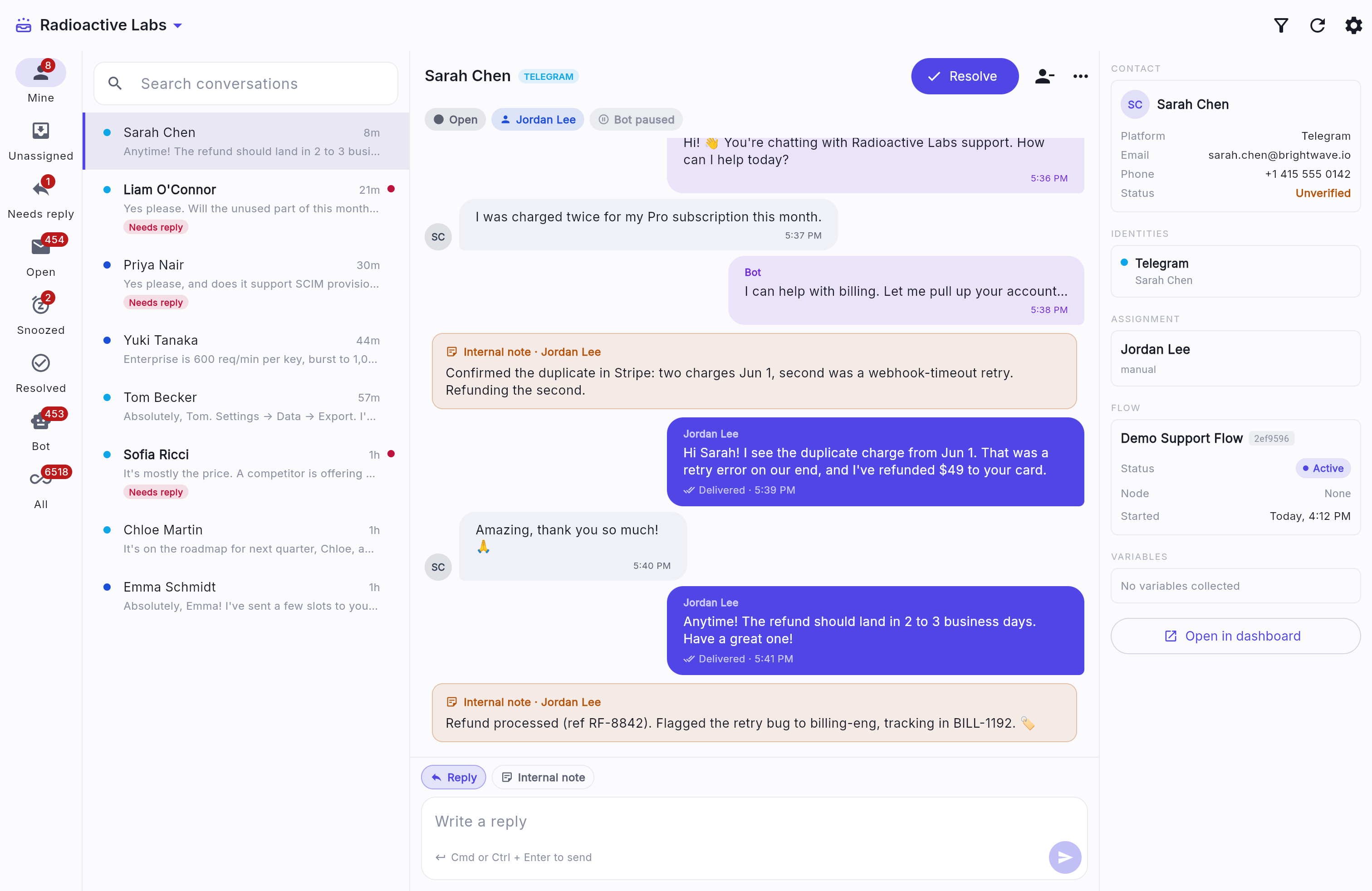
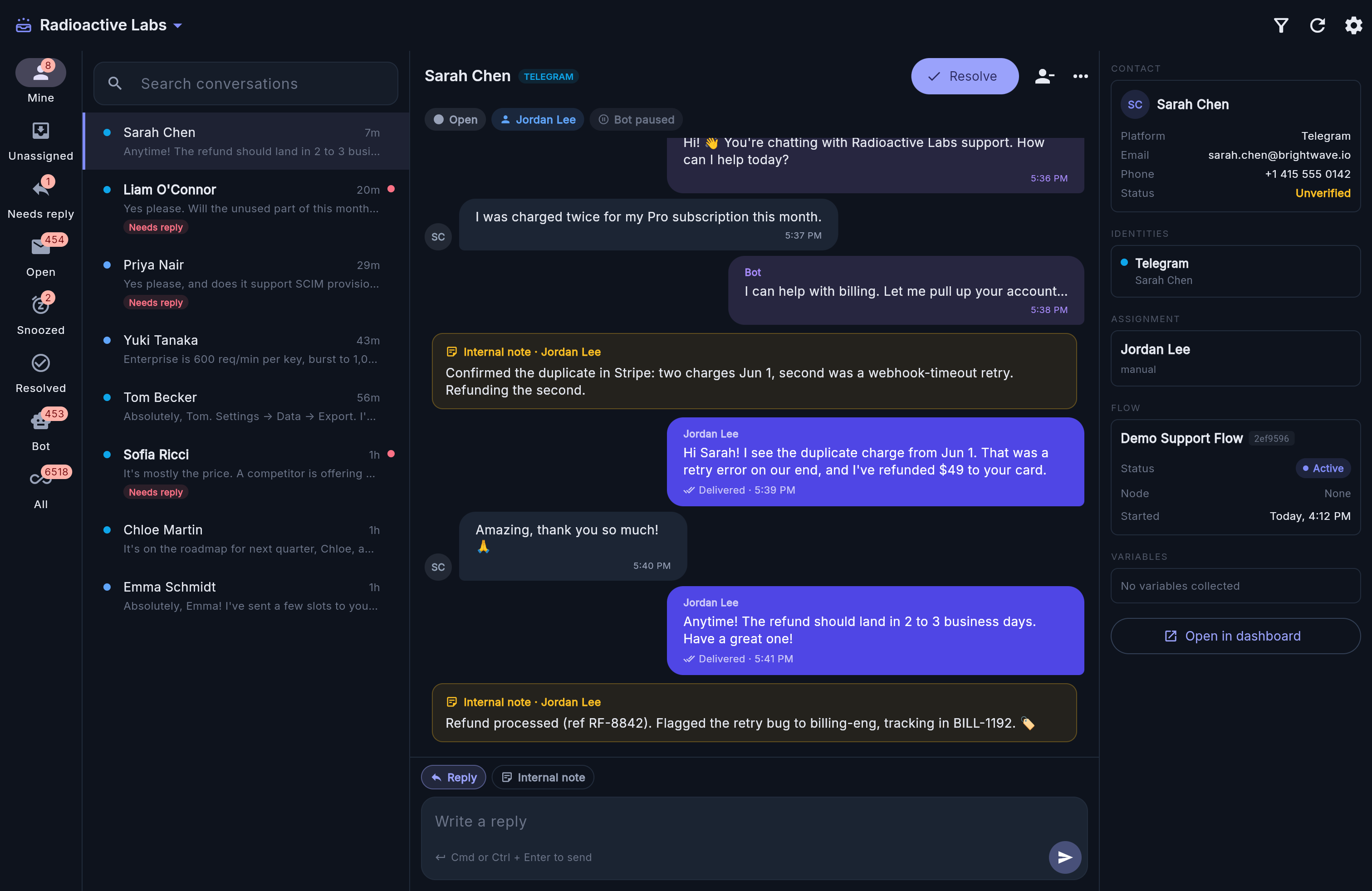
Every channel lands in one inbox.
Your team stops switching between WhatsApp, Messenger, Instagram, Intercom and Telegram. One queue, one thread per customer, and everything the flow already said is right there.
8Mine
Unassigned
1Needs reply
454Open
2Snoozed
Resolved
453Bot
6518All
Search conversations
Marcus Bellnow
Hey, where's my order?
Needs reply
Sarah Chen7m
Anytime! The refund should land in 2 to 3 busi...
Liam O'Connor20m
Yes please. Will the unused part of this month...
Needs reply
Priya Nair29m
Yes please, and does it support SCIM provisio...
Needs reply
Yuki Tanaka43m
Enterprise is 600 req/min per key, burst to 1,0...
Tom Becker56m
Absolutely, Tom. Settings to Data to Export. I'...
Sarah ChenTELEGRAMResolve
OpenUnassignedBot active
Bot
Hi! 👋 You're chatting with Radioactive Labs support.
5:36 PM
SC
I was charged twice for my Pro subscription this month.
5:37 PM
Bot
I can help with billing. Let me pull up your account…
5:38 PM
Internal note · Jordan Lee
Confirmed the duplicate in Stripe: second was a webhook-timeout retry. Refunding it.
Jordan Lee
Hi Sarah! That was a retry error on our end, and I've refunded $49 to your card.
✓✓ Delivered · 5:39 PM
SC
Amazing, thank you so much! 🙏
5:40 PM
Jordan Lee
Anytime! The refund should land in 2 to 3 business days.
Nothing to migrate.
Conversations stay in Intercom, and your team keeps the inbox they know.
One design, every channel.
The same flow you built for the website answers in Intercom.
Drafts without leaving Intercom.
The same suggestions your agents would get in UniversalInbox, delivered by a Chrome extension inside the Intercom inbox.
Intercom, with the SupportBuddy extension installed
Every answer comes from one place.
Everything your team knows sits in one knowledge base. Flows answer from it during a conversation, SupportBuddy drafts from it in the inbox, and your customers can read part of it themselves.
Everything in one place
Pages your team writes, PDFs, web pages and plain text. Whatever you add is indexed and searchable as soon as it lands.
Scoped into collections
Group sources by product, region or audience, then point each flow and each buddy at the collection it should be answering from.
One copy, everywhere
The bot, the inbox and your help centre read the same source, so an answer does not drift depending on where a customer asked.
Public when you want it
A wiki can go public as a help centre with its own categories, search and sitemap, or stay unlisted and reachable only by link. Uploaded sources stay internal either way.
Build and manage it with an AI agent, or your own code.
Point an AI agent like Claude or Cursor at your workspace over MCP, or drive it from your own code over a REST API. Either way it works with the same flows, knowledge, storage and conversations you do, with access you scope and revoke.
Build the flows
Create, edit, publish and deploy flows through the same tools you use by hand, and run them in test mode to check the work before it goes live.
Curate the knowledge
Add and reprocess knowledge sources and manage your storage tables, so what the bot answers from stays current.
An AI agent, or your own code
Connect an AI agent over MCP, whether Claude Code, Claude Desktop, Cursor, or one you build, or call the REST API from a script. Access is a scoped token you create and revoke when you're done.
The plan pays for the conversations your flows handle and the AI they use. The inbox and seats for your team are in it, and you can watch every meter as it climbs.
Conversations
Counted when a customer actually talks to you, not per message. Each plan includes a monthly amount and bills past it at a per-conversation rate.
AI usage
Passed through at cost, on its own line, alerted as it climbs. Zero on any flow that does not use it.
Seats, included
Every plan comes with seats for the people who reply. One more is a flat, low monthly price, the same on every paid plan.
See full pricingDon't want to build your flows? We'll build them with you, as a paid add-on.
Tell us what you want to automate.
Four questions, ninety seconds. You'll be using the same kind of flow you'd be deploying, and we'll bring what you told us to the call.